Most carpet cleaners aren’t using Twitter, but if you are and would like to start auto posting from your WordPress blog to your Twitter account, here’s how:
First, you will need to install the plugin called Twitter Tools. After it is activated you will need to set it up under “Settings” from the left side of your Dashboard:
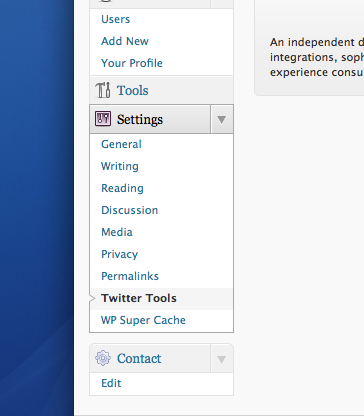
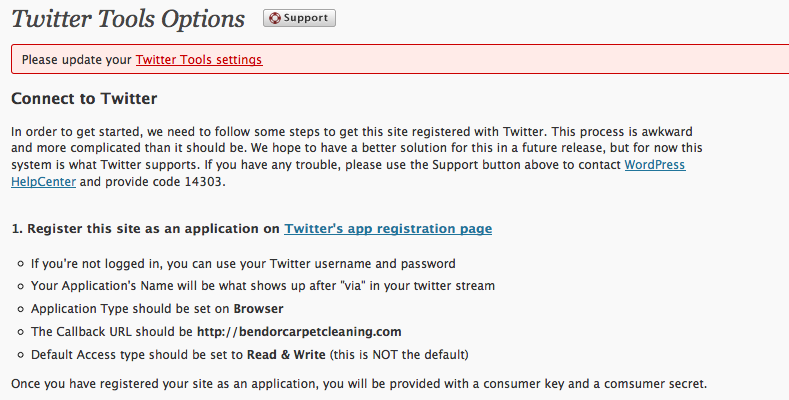
From here you will need to click on “Twitter’s app registration page”:
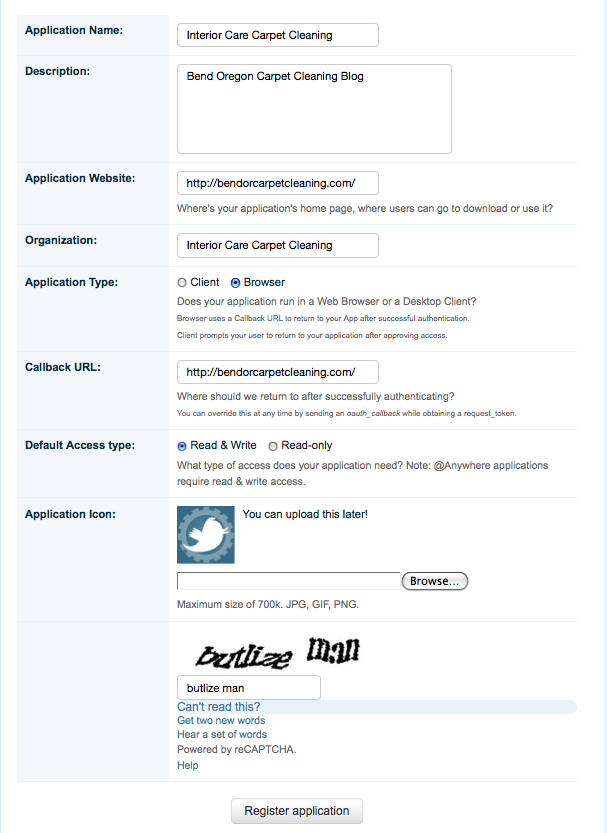
Fill out the information using this screenshot as a guide:
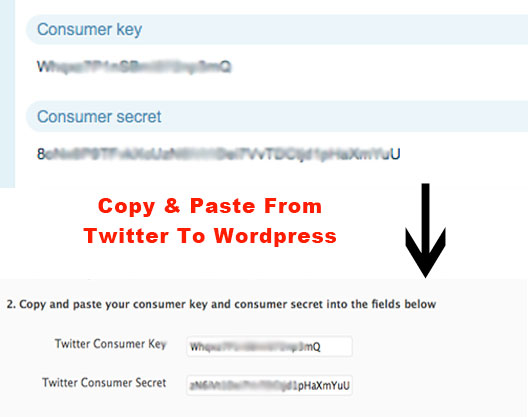
The next screen has a bunch of codes. You will need to copy and paste 2 of them into the Twitter Tools Options as follows:
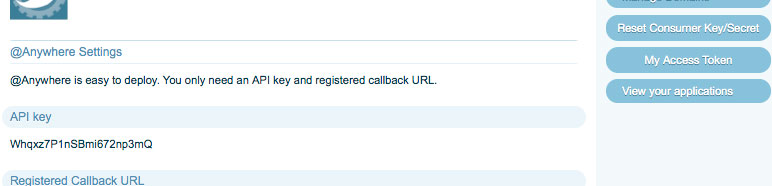
Then you will need to click on “My Access Token” in the upper right corner to get the other 2 codes:
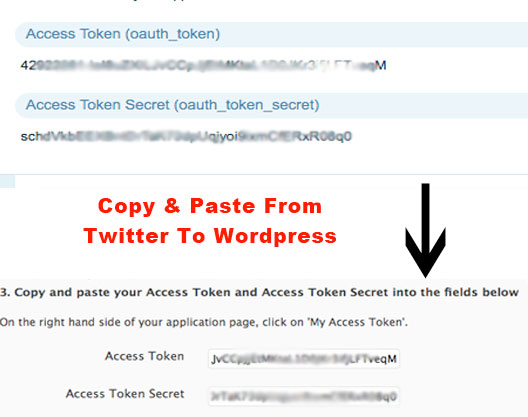
Copy and paste the 2 access token codes as shown:
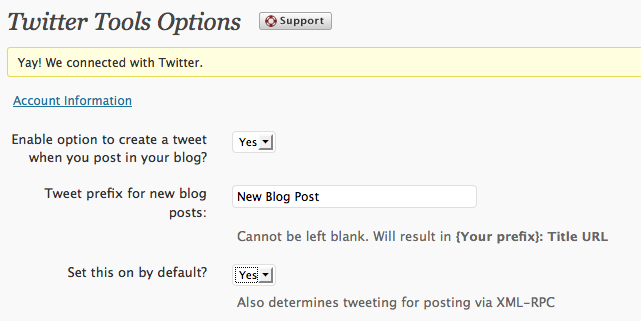
Now Click “Connect To Twitter”. There are only two options you need to change. Use this screenshot as a guide: