I just added the app called RSS Graffiti. Basically it makes it really easy to send your blog posts to your Facebook wall. This is my first post since installing the app so it doubles as a test.
If you want to try it out go to www.facebook.com/RSS.Graffiti.
Click on the button that says “Go To App”:

If you are logged into your account you will have the option to “Click Here to Authorize RSS Grafiti”:

You will then need to allow the app to communicate with your blog. Click “Allow”:

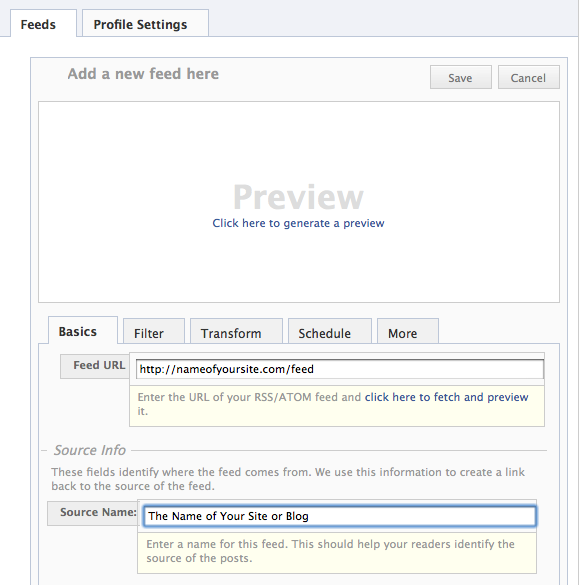
Now you need to add your RSS Feed from your blog so click “Add Feed”:

You will need to add the feed source. For WordPress blogs just type the name of your site then “/feed”. You will also need to add the name of your site or blog. Then click “Save”: